What’s Actually Stored on That Old Office Copier?
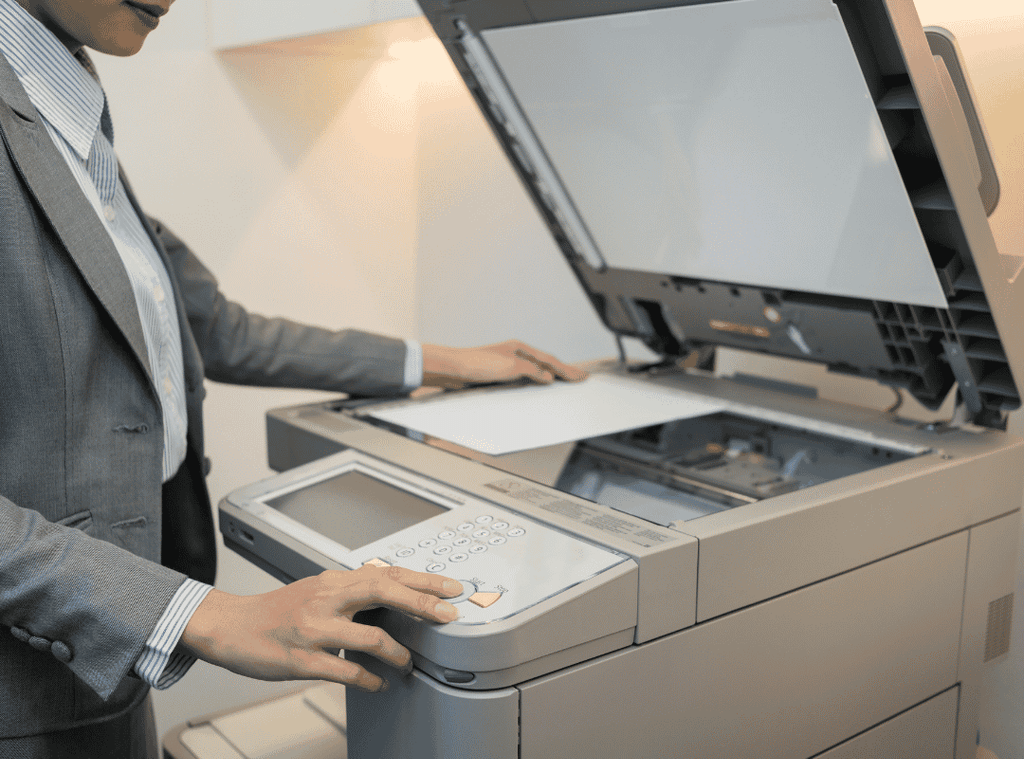
There is probably a machine in your office that knows far too much about everyone who works there.
It has seen salary information. Tax forms. Customer contracts. Driver’s licenses handed to HR on somebody’s first day. Maybe medical records, background checks or the financials that weren’t supposed to leave the conference room.
And most days, no one gives it much thought unless it runs out of toner.
The office copier is easy to mistake for furniture. Modern copiers, though, are sophisticated pieces of technology, and many contain hard drives or other storage used while documents are printed, copied, scanned, faxed or emailed.
That’s not much of a concern while the copier is humming away in the corner.
The more interesting question comes when someone decides to get rid of it.
The Copier Leaves. Does the Data?
Businesses tend to have fairly clear ideas about old computers.
A laptop reaches the end of its life and IT gets involved. Hard drives are wiped or destroyed. Equipment is inventoried. Eventually, it is reused, remarketed or sent for electronics recycling.
Copiers don’t always inspire the same caution.
Maybe the lease is up. Maybe you’re moving offices. Maybe the new model has arrived and someone is waiting downstairs to haul the old one away.
That’s a bad time to wonder whether it has a hard drive.
The Federal Trade Commission has warned businesses that digital copier hard drives can store data from documents the machines copy, print, scan, fax or email.
Think back to what your copier handled this week.
That gives the issue a little more weight.
A Copier Can Have a Surprisingly Good Memory
What a particular machine retains depends on the model and how it has been configured. But businesses should at least consider copiers and multifunction printers when inventorying devices that could contain company data.
That data might have come from:
- Employee and payroll records
- Customer documents
- Contracts
- Tax and financial records
- Background checks
- Copies of identification
- Medical or insurance information
- Proprietary company documents
This creates an odd blind spot.
A company may carefully place an unwanted HR document into a locked shredding container while giving little thought to the machine that scanned or copied it five minutes earlier.
The paper isn’t necessarily the only place the information has lived.
This Has Actually Cost a Company More Than $1 Million
The risk isn’t hypothetical.
In one HIPAA enforcement case, a health plan returned photocopiers to a leasing company without first erasing information stored on the machines’ hard drives.
HHS said those drives contained protected health information involving as many as 344,579 people.
The settlement: $1,215,780.
Most businesses will never experience anything remotely that dramatic. But the case makes a useful point: something as mundane as returning an office copier can become a data-security problem when nobody thinks about what’s inside the machine.
Before Someone Wheels It Away
You don’t need to become an expert in copier hardware.
You do need to ask a few questions.
Does this machine contain a hard drive or other storage?
What kind of information has passed through it?
Do we own it, or is it leased?
How will stored data be removed?
Who is responsible for verifying that happened?
Where is the equipment going next?
If the copier is leased, don’t start dismantling it in the hallway. Review the agreement and work with the appropriate copier provider, IT team or qualified technician. Storage components and requirements vary by machine.
The important part is making the decision deliberately rather than assuming the company picking up the machine will take care of it.
And Then Look Around the Rest of the Office
Once you start thinking about the copier this way, other devices suddenly become more interesting.
There’s the printer nobody uses anymore.
The old phones in the supply closet.
Three laptops belonging to people who left two years ago.
A box marked “HARD DRIVES — KEEP” that nobody remembers keeping.
A retired server that is apparently serving its second career as a very expensive shelf.
These are all reasons IT asset disposition (ITAD) should begin with the data, not the recycling bin.
A useful question isn’t simply, Can we recycle this?
It’s:
Could this still contain information we need to protect?
If the answer is yes, address the data first.
Depending on the asset, that may mean secure data sanitization, hard drive destruction, IT asset remarketing or another appropriate disposition method. Equipment that has reached the end of its useful life can then move into business electronics recycling.
Don’t Forget What’s Sitting on Top of the Copier
There’s one decidedly low-tech risk worth mentioning.
Paper.
A forgotten original in the scanner. An extra copy someone didn’t need. A financial report left in the output tray because its owner got distracted on the walk over.
Not every information-security problem requires sophisticated technology.
For offices handling confidential paper every day, placing a secure shredding container somewhere convenient can help keep abandoned printouts and unwanted copies out of ordinary trash and recycling.
It also gives employees an easy answer to a very common question: What am I supposed to do with this?
Give the Copier an Exit Plan
Companies are usually very deliberate when technology arrives.
Someone approves the purchase. IT configures it. An asset gets assigned. Employees learn how to use it.
The exit can be surprisingly casual.
That’s the habit worth changing.
Copiers, computers, hard drives, servers and other data-bearing electronics should have a defined path out of the organization, just as they had a path in.
Secure Shredding and E-recycling helps businesses manage that process through ITAD, hard drive destruction, electronics recycling, IT asset remarketing and secure paper shredding. We are also NAID AAA Certified for secure information destruction.
So the next time somebody says, “They’re coming to pick up the old copier tomorrow,” there is one question worth asking before you hold the door open:
What’s still on it?
FAQs
Do office copiers actually store documents?
Many digital copiers use hard drives or other storage while processing copies, print jobs, scans, faxes or emails. The exact capabilities depend on the machine.
What should we do before returning a leased copier?
Check the lease, identify whether the machine contains storage and ask how stored data will be sanitized or otherwise secured before the copier leaves your control.
Should we destroy the hard drive in an old copier?
Not automatically. The appropriate method depends on the copier, who owns it and whether it will be reused. Work with your IT team, copier provider or qualified data-destruction provider to determine the right approach.
Do printers store data, too?
Some multifunction printers and similar office devices contain storage. Include them when inventorying potentially data-bearing equipment rather than assuming only computers and servers contain company information.
What other office electronics should businesses check for stored data?
Computers, servers, hard drives, phones, tablets, storage media and some multifunction office equipment may contain business information. An ITAD program can help identify and properly manage data-bearing assets.
Talk with Secure Shredding and E-recycling about ITAD, hard drive destruction and business electronics recycling.
Call Us Today! 1-(833) 747-3399